


8 cyber security tips for business travelers
Whether youre a regular business traveler, or a high-tech adventurer seeker, travelingparticularly abroadposes unique cyber security threats. Business travelers are especially vulnerable because...
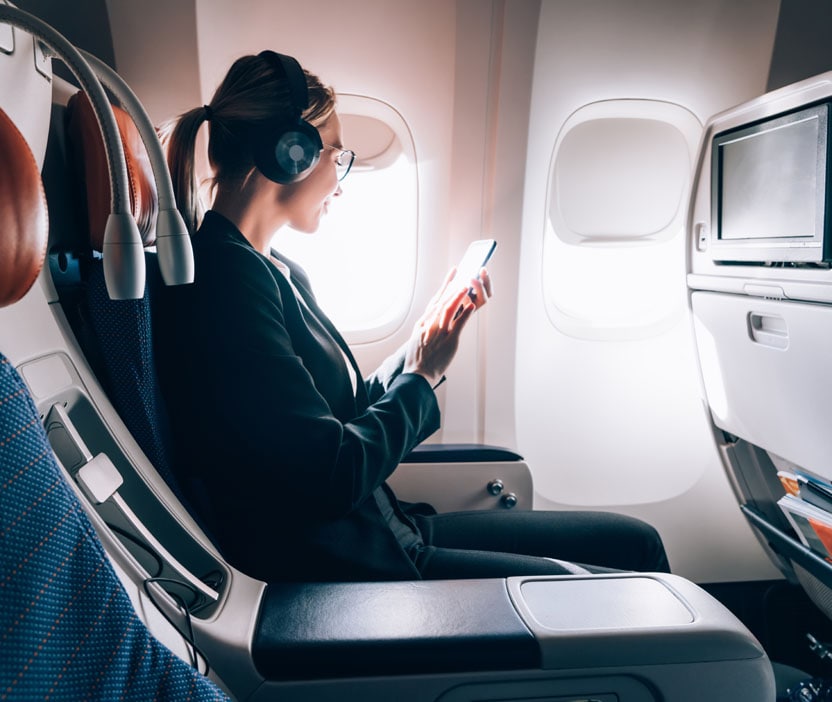

With the increasing number of cyberattacks, cybersecurity is no longer limited to home or office. If you are a frequent business traveler, you need to be extra diligent to protect your data and devices. Business travelers are most vulnerable to cyberattacks – as they may not take all the necessary precautions,
Whether you’re a regular business traveler, or a high-tech adventurer seeker, traveling—particularly abroad—pose unique cyber security threats. Business travelers are especially vulnerable because they often carry sensitive data, both personal and business related, on a variety of devices including smartphones, laptops, and tablets.
Don’t cancel your travel plans just yet. Here are eight cyber security tips for business travelers that are also great tips for anyone planning a holiday abroad:
1. Lock Devices Down
Most smartphones, laptops, and tablets come equipped with security settings that will enable you to lock the device using a PIN number or fingerprint ID. Do this on every available device. While traveling, change the PIN numbers you regularly use.
In the event that any of your devices have been momentarily misplaced or forgotten, this will be the first line of defense against a security breach.
2. Be Cautious of Public Wi-Fi
The laws and regulations that govern cyber security in other countries are typically not going to be the same as those found in India. Free Wi-Fi access can be very appealing for business or leisure travelers but is also particularly vulnerable to security issues.
Avoid unencrypted Wi-Fi networks; ask your hotel about its security protocol before connecting to the Web. Be extra cautious using Internet cafes and free Wi-Fi hotspots; if you must use them, avoid accessing personal accounts or sensitive data while connected to that network.
3. Disable Auto-Connect
Most phones in India have a setting that allows a device to automatically connect to Wi-Fi networks as you pass through them on your day-to-day activities. While this is a nice feature when used at home, it’s not something you should allow while traveling abroad. Before you travel, change this setting so that your smartphone and laptop must be manually connected each time you wish to access the Web.
4. Minimize Location Sharing
It’s very common for travelers to update social networking sites as they move about new counties or cities. The problem with this type of excessive sharing is that it creates a security threat at home. By signaling your every location, you make it easy for a criminal to determine that you’re not in your hotel room or at your home, leaving your personal belongings within these areas vulnerable to a physical intrusion. Limit the information you post online about your specific whereabouts to limit these threats to your personal property.
5. Install Anti-Virus Protection
This is one of the easiest and most effective ways you can keep your personal information, as well as company information, secure while traveling. In addition to using a trusted brand of security, make sure that you regularly update this software as new versions become available.
6. Update Operating Systems
Just like your anti-virus software, you should keep your operating system as current as possible. This also goes for apps on your phone; take special care to update apps that you regularly use to conduct financial or personal business.
7. Update Passwords
If you plan on traveling, change all of the passwords you regularly use. Similarly, if you must create a PIN for a safe or security box in a hotel room, make sure it’s unique and not something you commonly use. Don’t skimp on password creation either—a numerical sequence is not ideal. Take the time to create something that will keep a criminal out of your personal property. Once you return home, you can change all the passwords back.
8. Disable Bluetooth Connectivity
Just like your phone’s automatic Wi-Fi connectivity, Bluetooth connectivity can present problems. Bluetooth signals can come from anywhere. If your Bluetooth is left on, nearby assailants can connect to your phone and potentially hack into your device. Keep Bluetooth disabled as much as possible while traveling abroad.
A Virtual Private Network (VPN) will help you keep your identity and data safe while you travel. You can use corporate VPN or get personal VPN router to make sure the connections are secure while you are travelling.
In addition to implementing these eight cyber security tips for travelers, you should also check out the laws and regulations governing cyber security in each country you plan to visit. By remaining vigilant during your business travels, you can greatly reduce your risk of suffering a cyber threat.
Editorial note: Our articles are designed to provide educational information for you. They may not cover or protect against every type of crime, fraud, or threat we write about. Our goal is to increase awareness about Cyber Safety. Please review the complete Terms during enrollment or setup. Remember that no one can prevent all identity theft or cybercrime, and that LifeLock does not monitor all transactions at all businesses. The Norton and LifeLock brands are part of Gen Digital Inc. For more details about how we create, review, and update content, please see our Editorial Policy.






Want more?
Follow us for all the latest news, tips and updates.