



Webcam hacking
You might have heard that hackers can access your webcam. In the age of the Internet of Things, that’s a pretty scary notion.


You might have heard that hackers can access your webcam. In the age of the Internet of Things, that’s a pretty scary notion. Not only will hackers be looking through the webcam on your computer, they will also be looking at your home security system and anything else you have hooked up to your network. Think about it -- how far are you from a camera right now? Just about everything has a camera on it these days. So how can you defend yourself from a webcam hacking?

Help protect your digital life on your devices.
Are you afraid of losing your personal information or all the precious things on your computer? Get comprehensive protection with Norton Security Deluxe across all your devices – up to 5 PCs, Macs, smartphones or tablets.
Create an account today and try it free for 30 days on up to 5 of your devices.
- The most important thing you can do is install a full-service Internet security suite such as Norton Security on your device, and keep it updated regularly. With the right software and current malware definitions, this can do a lot of heavy lifting against all forms of malware, not just viruses.
- Keep your software up to date, as this helps patch vulnerabilities in your software that allow hackers access to your device.
- Your computer probably comes with a firewall, which will prevent unauthorized access to your computer. However, most firewalls need to be turned on. If you’ve never actively turned on your firewall, do that right now.
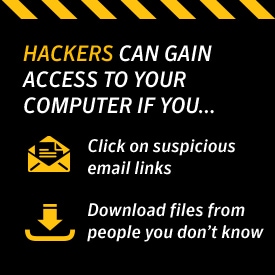
- Never click on suspicious links in emails or download files from people you don’t know. This is one of the most common ways that hackers gain access to your machine. Only download attachments and click on links in emails from people that you trust. Even then, if something looks suspicious call or text them.
- Don’t chat with strangers online. Often times, this is a way to get information out of you that can be used to access your accounts, or to get your trust so that you download a Trojan horse.
- Keep an eye on the indicator light on your laptop. If it starts coming on for no reason, that’s a good sign that your system has been compromised.
- Lock down your wireless network. Use a strong, unique password.
- It’s important to use a virtual private network for maximum security.
These steps are simple, common sense measures you can use to protect the privacy of your family.
Editors’ note: Our articles offer educational information and are written to raise awareness about important topics in Cyber Safety. Norton products and services may not protect against every type of threat, fraud, or crime we write about. For more details about how we research, write, and review our articles, see our Editorial Policy.






Want more?
Follow us for all the latest news, tips and updates.